
Customer Self-Serve Integration Support Tools
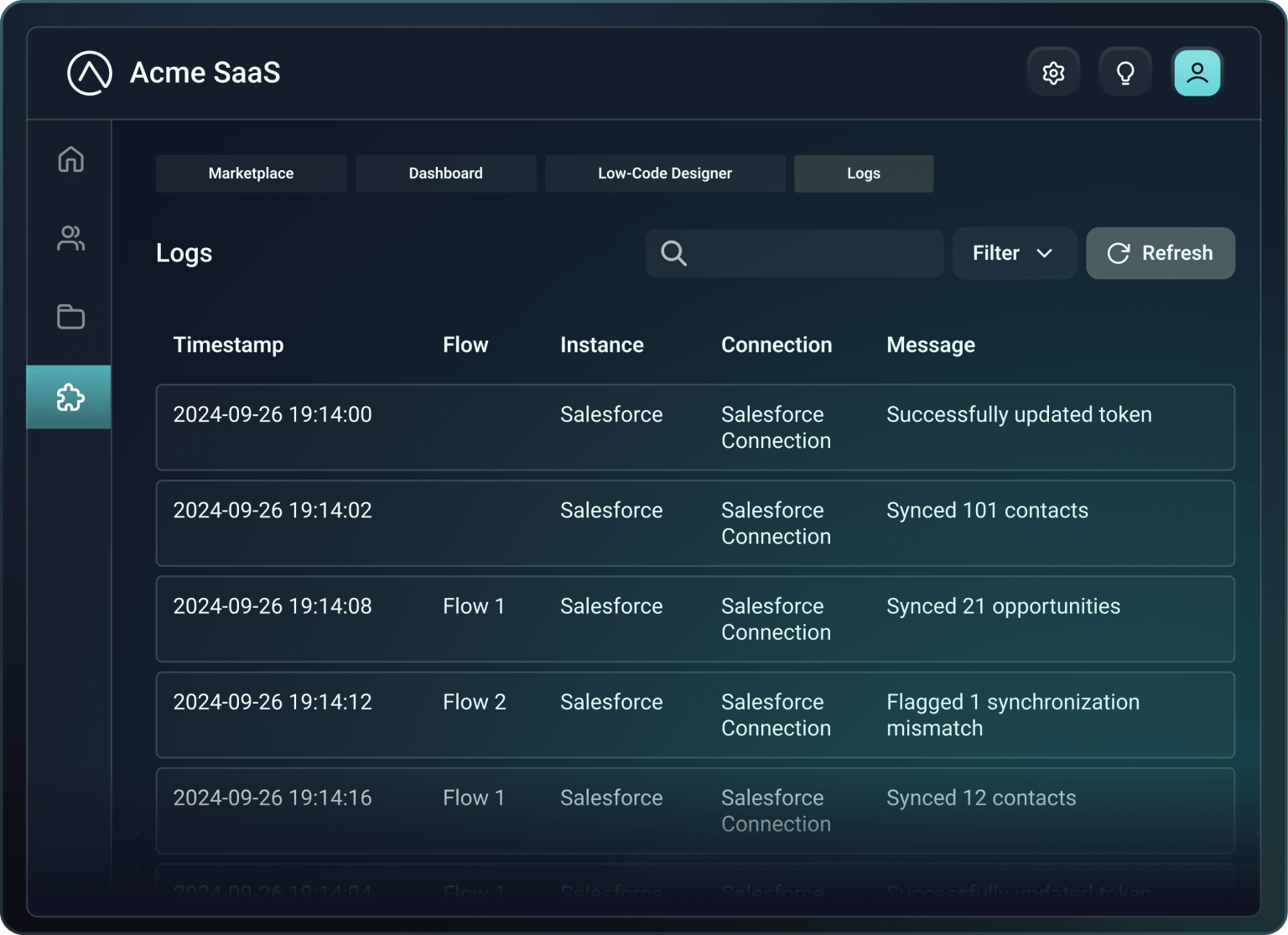
Customers manage their own integrations
They get instant access. Your team gets fewer tickets.

Self-serve troubleshooting for customers, full visibility for your team
Your team retains full visibility into every customer's integration activity; detailed logs, execution history, and alerting, so you can step in when needed.

Embed our UX or build your own
Want full control? Design your own UX using our API. Everything is fully exposed.








Common questions
Self-serve support tools give your customers direct access to everything they need to manage and troubleshoot their integrations without contacting support. These tools include the ability to view detailed integration logs and execution history, check integration status and configuration settings, receive automatic notifications when something goes wrong (or right), troubleshoot issues, replay failed executions, update configurations and credentials as needed, and upgrade to new integration versions.
You can embed these tools directly into your product as a white-labeled iframe or build a custom experience using Prismatic's API. The tools are designed to be simple enough that customers can diagnose and resolve common integration issues themselves, transforming integrations from black boxes into manageable systems they can easily control and understand.
Customer troubleshooting tools reduce support tickets by empowering customers to diagnose and resolve integration issues themselves. When customers have direct access to detailed logs showing exactly what happened during each integration execution, they can identify whether an issue stems from incorrect credentials, missing data, configuration problems, or third-party API errors – all without contacting support. They can see error messages in context, understand what went wrong, and take corrective actions now.
The ability to replay failed executions means customers can test fixes instantly after updating configurations. This eliminates the common support tickets like "My integration isn't working," or "Can you check the logs?" Your support team shifts from handling simple troubleshooting requests to focusing on complex issues that require human expertise.
Yes, customers can view extensive integration logs directly within your product without contacting support. Prismatic provides detailed execution logs that show an integration's execution, including timestamps, data flowing through the system, API calls made, responses received, and any errors encountered. Customers access these logs through the embedded marketplace or support dashboard you provide – they simply navigate to their integration, view execution history, and drill down into specific executions to understand what happened.
The logs capture the right level of detail for troubleshooting while respecting security and privacy requirements. Customers can see when executions ran, whether they succeeded or failed, and exactly where problems occurred. This transparency significantly reduces support burden because customers can self-diagnose common issues like authentication failures, missing fields, or data format mismatches.